
A tour of my development setup
It’s taken me quite a while, but I finally have an stable and functional development setup where I can comfortably work and be efficient with everything I need. And it’s been a long time since last time I posted anything on here, why not talk about it for way too long? You are along for the ride now. Welcome.
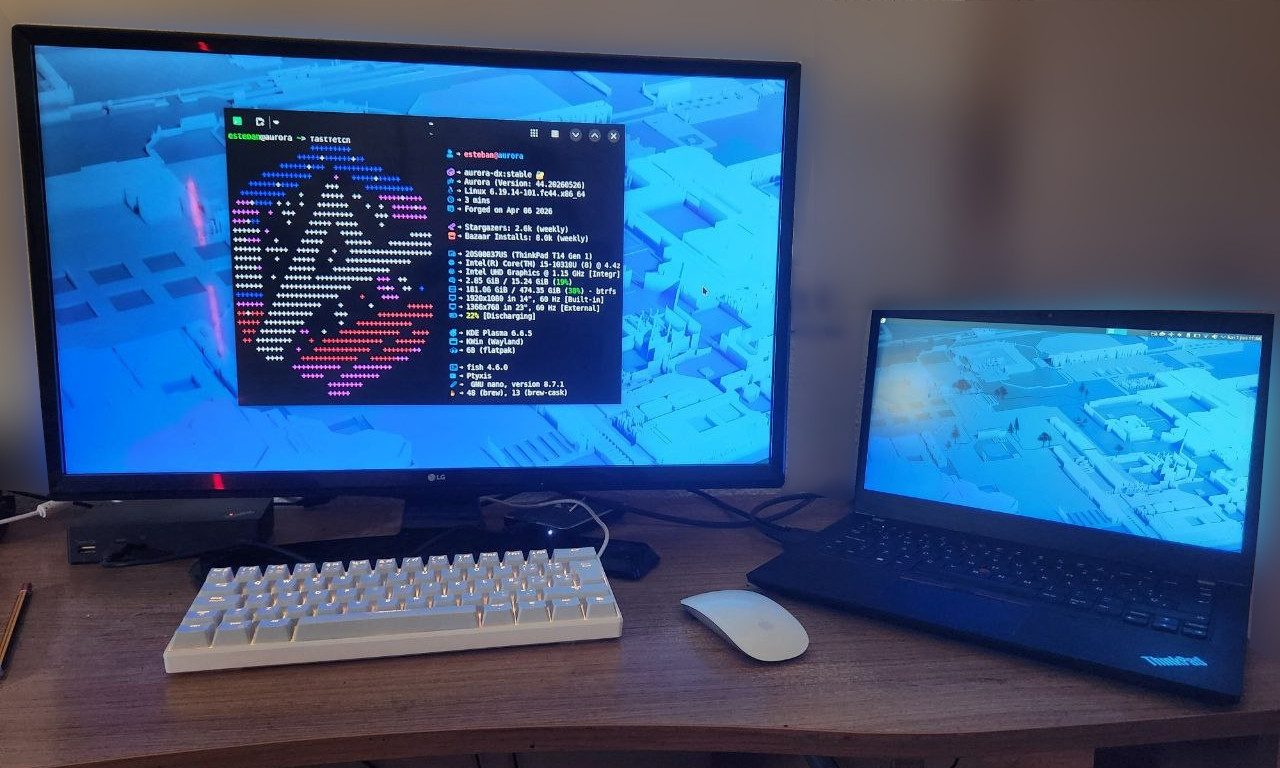
(click to zoom)
Hardware
The machine itself: Thinkpad T14 G1 14” i5 512/16GB
I love this thing to death. I got it second hand for around 400€, and I have been nothing but consistenly impressed with it since I got it. It boots almost instantly, it’s reasonably fast, the battery lasts forever compared to my old laptop, and all in all it feels good to work on. Excellent keyboard, too, even if a lot of the time I use an external one (more on that below). The screen does feel a bit small sometimes, but it’s not too bad for most of my work, and nothing that can’t be solved by plugging an external monitor when I’m working at home.
Keyboard: Newskill Pyros Ivory (blue switches)
Keys go clickclack! A wonderful small form keyboard. While the mode-switching required to use some keys was very annoying at first, I’ve ended up more or less getting used to it, and it’s a price you have to pay when using a small keyboard. Once you get used to it, the keys feel great, the sound is very satisfactory without being too loud, and being able to switch between different bluetooth connections with a key combination is very nice.
Mouse: Apple Magic Mouse 2
I have complicated feelings about this thing. It was a gift, and I liked the design and the whole-body scroll area. My computer picked it up as a bluetooth mouse with no issue, and it works perfectly. However, the form factor on it is… not comfortable to use. While I mostly work with the keyboard, if I’m holding into the mouse for a long time, my hand starts to hurt quite a lot; the fact that you have to hold it on a very particular way to not trigger the scrolling or the middle click does not help at all. It does its job, but I’m not sure if I like how it does it. There’s a very high chance I will replace it on the near future.
Dock: Lenovo Thinkpad USB 3.0 Ultra Dock
It’s… okay. Having extra ports is always nice, as I can keep all my peripherals and my backup disk plugged all the time and still having several extra ports for USB drives. However, the HDMI port refuses to work for me no matter what I try, forcing me to plug the external screen directly on the computer if I want to use it. Not the end of the world, but it is a bit annoying. Still, it does what it needs to do and it does it well.
Monitor: Some LG television whose model or specs I am not sure about.
It’s a TV. It’s big. I can see colors and shapes on it. Good enough for me!
Software
OS: Fedora Aurora
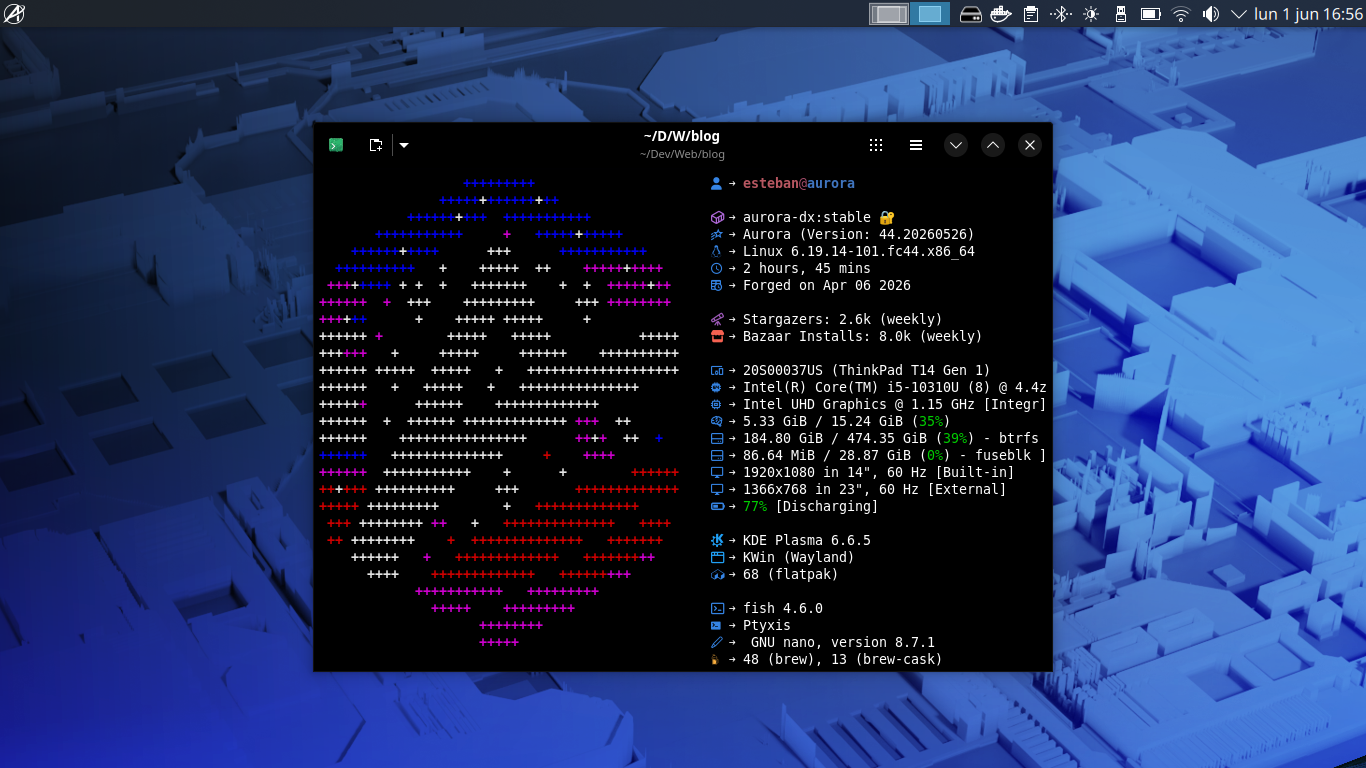
(click to zoom)
(Wallpaper is Fedora Fourty-Four by Fedora KDE, because it’s pretty and because finding good wallpapers that do not have a risk of being AI slop is increasingly hard.)
I’ve distrohopped many, many, many times. I started my Linux days, like many others, on Ubuntu; then I spent a long, long time on Manjaro, and then I discovered Fedora Workstation, and it became my distro of choice for years. It’s probably my favorite distro of all I’ve tested: it’s stable, it’s easy to use, and it works.
However, around March of this year I came across Aurora, and I instantly fell in love with it. I had been wanting to try an atomic distribution for a long time, and this seemed perfect for my needs: I could install the developer-oriented Aurora DX version, and have a system ready to work with Docker, Podman, Tailscale, and dozens of other useful tools an applications already installed.
Everything works inside containers, so the base system stays safe and clean: if I want to work on a web project, I can spin up a container with everything (Node, all the dependencies, and my prefered VSCode setup and extensions) I need to start working in question of minutes. Then, once that project is done, if I know I’m not going to work on anything web-related for a while, I can take that container down to free resources and, since nothing was installed on my actual system, there are no traces of the Node install or anything else until I next time I need it.
Nearly all of the apps I’ve needed to install on my computer are available as Flatpaks, and I can install them with just a click thanks to the native Bazaar storefront, but if I need anything that is not available there, Aurora also brings Distrobox pre-installed. A quick command, and I can spin up a container running a non-atomic distribution (and I do mean any distribution; I need to run something that is only available for Debian systems? No problem at all) ready to install anything I need. Applications installed in containers can also be exported to Aurora’s application menu, so I can set it up once and forget it forever: by all intents and purposes, anything installed on Distrobox is just another app on the system.
So yeah, I love this system. I love it so much that I’m running it both on this work computer and on my personal machine (yes, I’ve finally dropped Windows. Hooray!)
Terminal: Ptyxis
It might be a GNOME-based terminal on a KDE environment, but I really like Ptyxis. It is fast, it looks sleek, and it has support for Distrobox containers, which makes it extremely easy to quickly open a terminal in my desired container with just a keyboard shortcut if I need to. The latest versions of Konsole have now implemented this too (and as of Fedora 44 are the default option on Aurora), but I just like Ptyxis too much.
IDE: VS Code
It’s good old Visual Studio Code. What could I say about it? The only difference on my setup over what you would consider a standard setup is that instead of having a single monolith list of extensions loaded at any time, every one of my development containers have their own extension list depending on my needs that are installed and loaded when I connect to the container. The configuration file, however, has many lines dedicated to try and keep Copilot and every other LLM slop garbage away, because Microsoft keeps trying to push that thing on me and it’s not going to happen.
I tried VSCodium with the hopes of un-Microsofting the process, but sadly this container-based workflow does heavily depend on the Dev Containers extension for VSCode to properly connect to them, and it’s not available on VSCodium. Alas.
Launcher: Vicinae
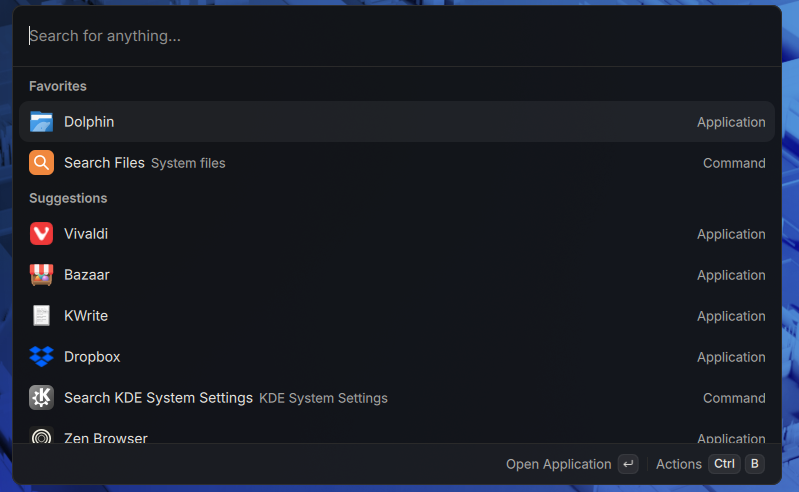
(click to zoom)
I love Vicinae. It’s a open source port of MacOS’s Raycast, and it works beautifully. Not only is a blazing fast launcher and file finder, but it has both its own extension store and almost-complete compatibility with Raycast’s extensions, making it extremely customizable and extendable. While I have nothing against KDE’s default KRunner launcher, just the customization by itself makes Vicinae more than worth it for me.
Browser: Zen Browser
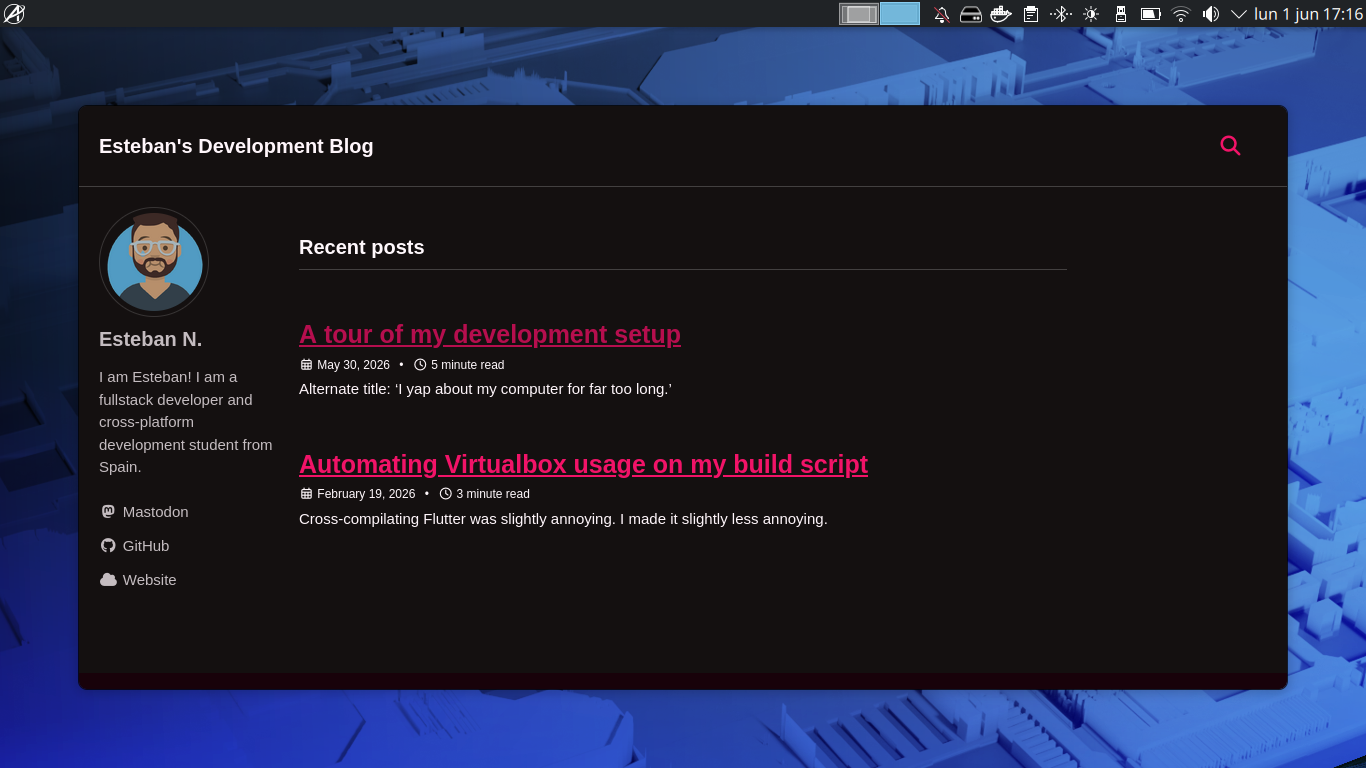
(click to zoom)
This is still an experiment, but one I’m quite liking so far. While the extremely minimalistic UI and the vertical tab bar took a bit to get used to, I really like how the browser looks, it works perfectly fine so far, and, perhaps the most important thing, it has a tiny cute animation when you download something. And if we don’t appreciate cute tiny animations, what are we even doing?
Before this, I used Vivaldi, but a mix of wanting to use less Chromium on my life in general, and some very serious oopsies from Google did heavily encourage me to go search for alternatives. On my personal computer, I use Waterfox, which is also a great alternative.
For Windows apps: Winboat
I am doing my best to not require Windows at all, but sadly, as a student, sometimes I need Windows around. The horrors never cease.
For those cases, I’m quite liking Winboat. It’s yet more virtualization that allows me to run a whole Windows system on Docker (how, I’m not even sure. People are smart.) and install applications that then can be integrated and run from Linux.
Misc
- Obsidian will always be my trusty companion for note-taking. A Vicinae extension allows me to quickly open and switch containers with just the keyboard, which is great.
- Planify for calendar and reminders management. I love it. And, again, I can quickly manage it from Vicinae without even having to have it open. I love Vicinae.
- A combination of Navidrome and Feishin take care of my local music needs while I’m working. I dropped Spotify and so should you.
- I am taking my first steps into exploring the lands of IRC, and Halloy is my client of choice. It looks great, it works great.
- My studies require me to have Virtualbox installed, and this is the only hiccup I’ve found so far with this system: since layered virtualization is not a good idea, I couldn’t run it on Distrobox and had to layer it on the system itself: while it works fine, it did cause problems updating the OS until I uninstalled it and reinstalled it after updating. However, I’m pretty sure this is not a problem with Aurora but with Virtualbox itself: the system does come with Boxes as a virtual machine manager and it works beautifully but, alas, I am required to keep Virtualbox around for now.